

Interactive order management display
TouchKitchen from ICRTouch transforms the way food orders are processed. From starters through to dessert, customer orders are organised on a kitchen screen for easy ticket management.
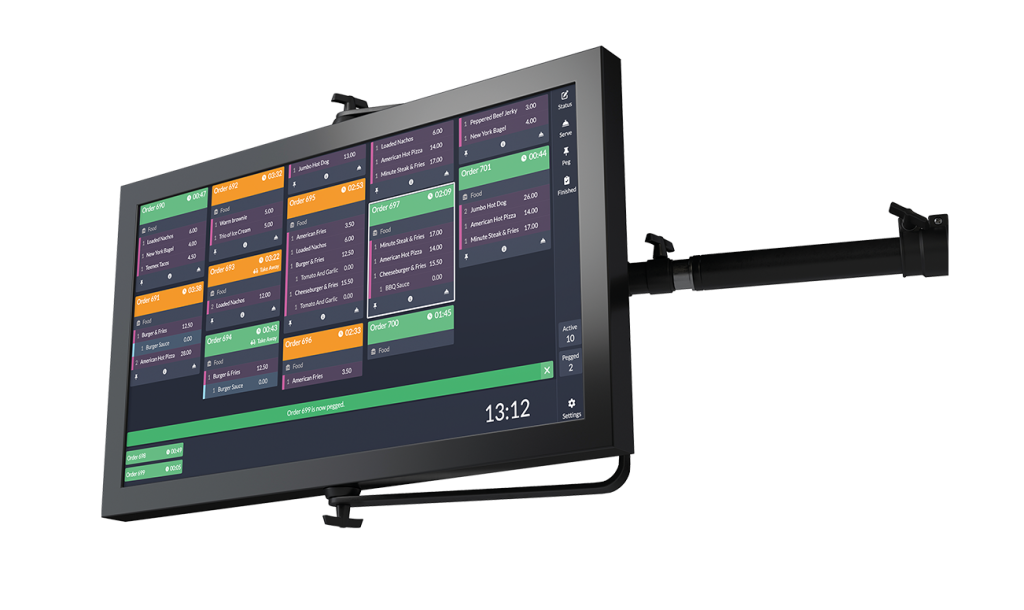
Streamline order management
From starters through to dessert, customer orders are organised neatly and clearly displayed on a display screen within the kitchen for easy order management with no need for paper and print outs.
The kitchen team can easily manage each order as it arrives and view it on their digital kitchen display, so they can begin preparing the food straight away. Information within TouchKitchen is clear and legible, and there’s no room for misunderstanding what has been ordered.
Choose your interface
Utilise TouchKitchen in the mode that suits your business best: touchscreen, keyboard, bump bar or hybrid.
Order status screen
Link to CollectionPoint, the customer-facing order progress displays to automate ‘ready for collection’ notifications.
Never lose orders
Digital orders go straight to the kitchen display. Meaning no information gets lost or misinterpreted.
Transform the way orders are processed
When an order is placed at a TouchPoint till, via PocketTouch digital ordering, or through a ByTable app, SelfService kiosk or TouchTakeaway webshop, the TouchKitchen display system receives the order details directly.
This enables the kitchen staff to efficiently manage and prepare each order as it arrives, using the digital kitchen display software. With clear and legible information displayed on TouchKitchen, you’ll reduce mistakes and speed up service.
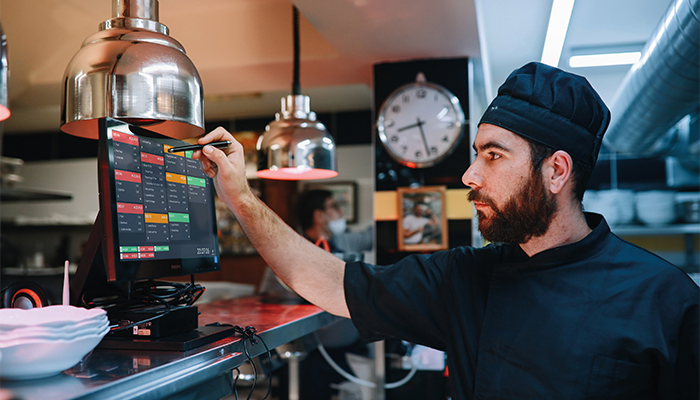
Recall orders
Easily and quickly recall finalised orders to check the details or reset the order for repeat preparation when needed
Organise courses
Peg orders easily between courses to let the kitchen team know when the next course is ready to be prepared.
Set timers
Preparation timers ensure meals leave the kitchen on time. Utilise one-shot timers or reset on individual orders.
The benefits
- Orders can be pegged between courses and cleared when the entire meal is completed.
- Information is clear and legible, and there is no room for misunderstanding what has been ordered.
- Orders can’t be misplaced and they can be recalled even after they’ve been cleared.
- Urgent orders can be received with favourable timers to get them through quickly.
- Linking with digital signage alerts customers that an order is ready to be collected, or a ticket can be printed at the counter to signal waiting staff for service.